
Security and protection
Your site is protected from the first door
Every site on the platform signs people in carefully, slows down whoever guesses, and keeps a record of what was done. Nothing to install, nothing to pay for: it comes with the site.
Start your siteAbout the platform
- Two-step verification
- A captcha you control
- Slowed-down guessing
- An activity log
In the code today
Protection you can count
- 10
- characters at least in every password
- 3
- wrong tries before the captcha appears
- 15
- minutes an account waits after 10 wrong passwords
- 8
- spare codes for whoever loses his phone
How it works
The way in, step by step
Each stage has its own layer of protection.
The password
Checked against the rules, and never stored as written.
The captcha, when it is needed
After three wrong tries from one address, or always, or never: you choose.
The code from the phone
Six digits from an authenticator app, for whoever switched it on. Each code works once.
A session you can see
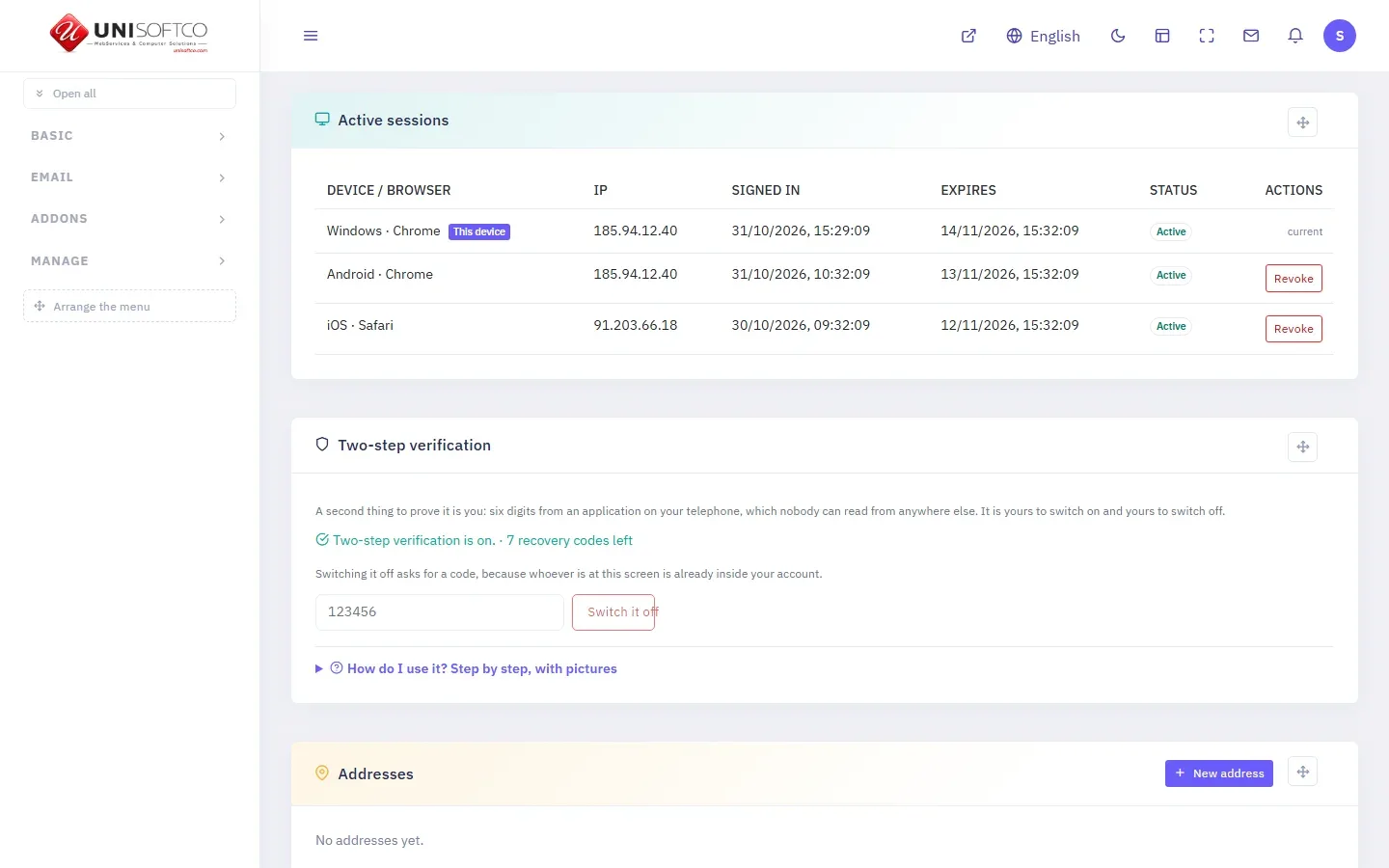
With its device, browser and address, and a button that closes it.
Inside the panel
Protection in your hands, not in a black box
Screens from the panel itself, where you set the security and see what happened on your site.
Each person switches on two-step verification and closes any session he does not recognise.
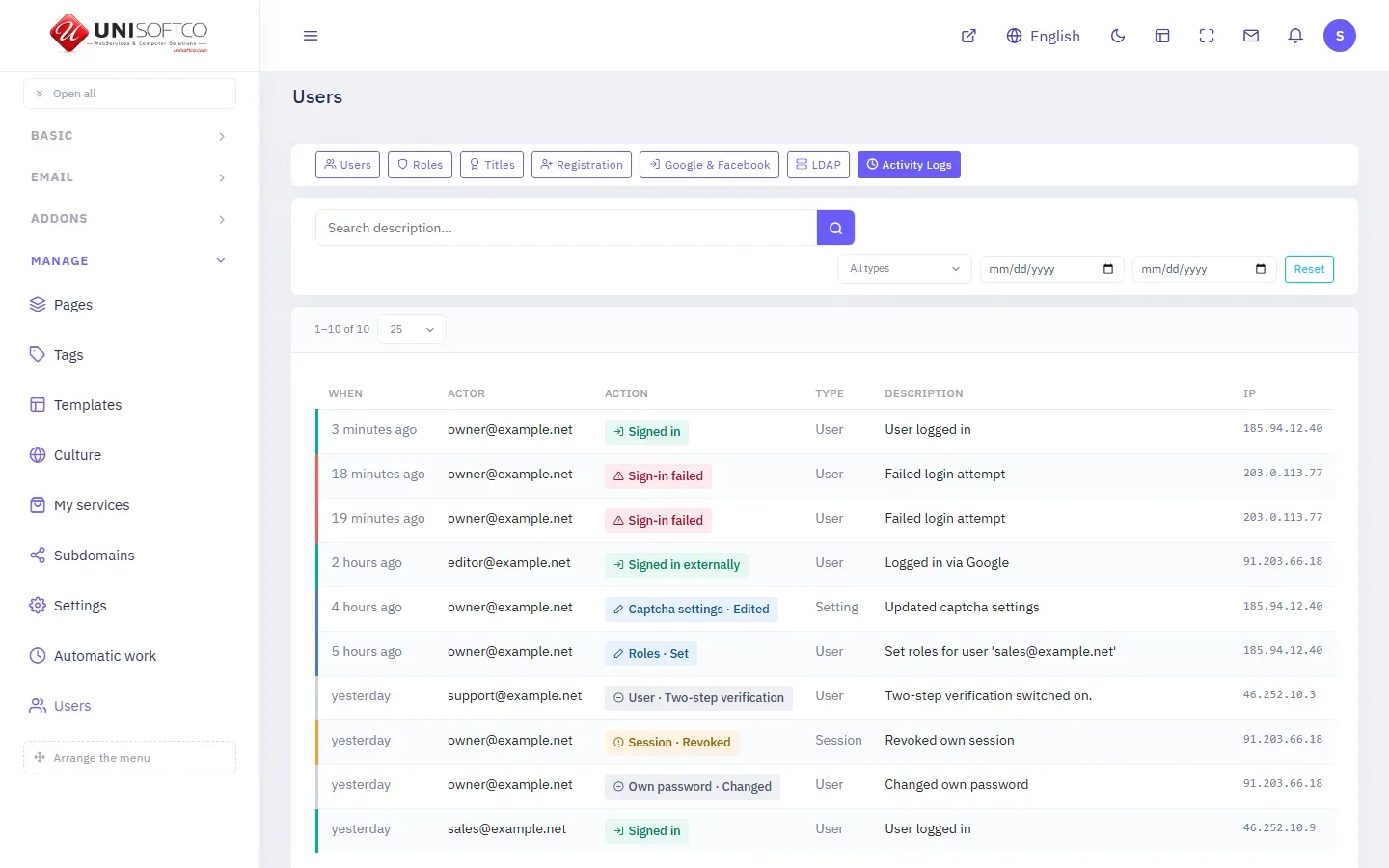
Every sign-in, every failed attempt and every change, with its time and its address.
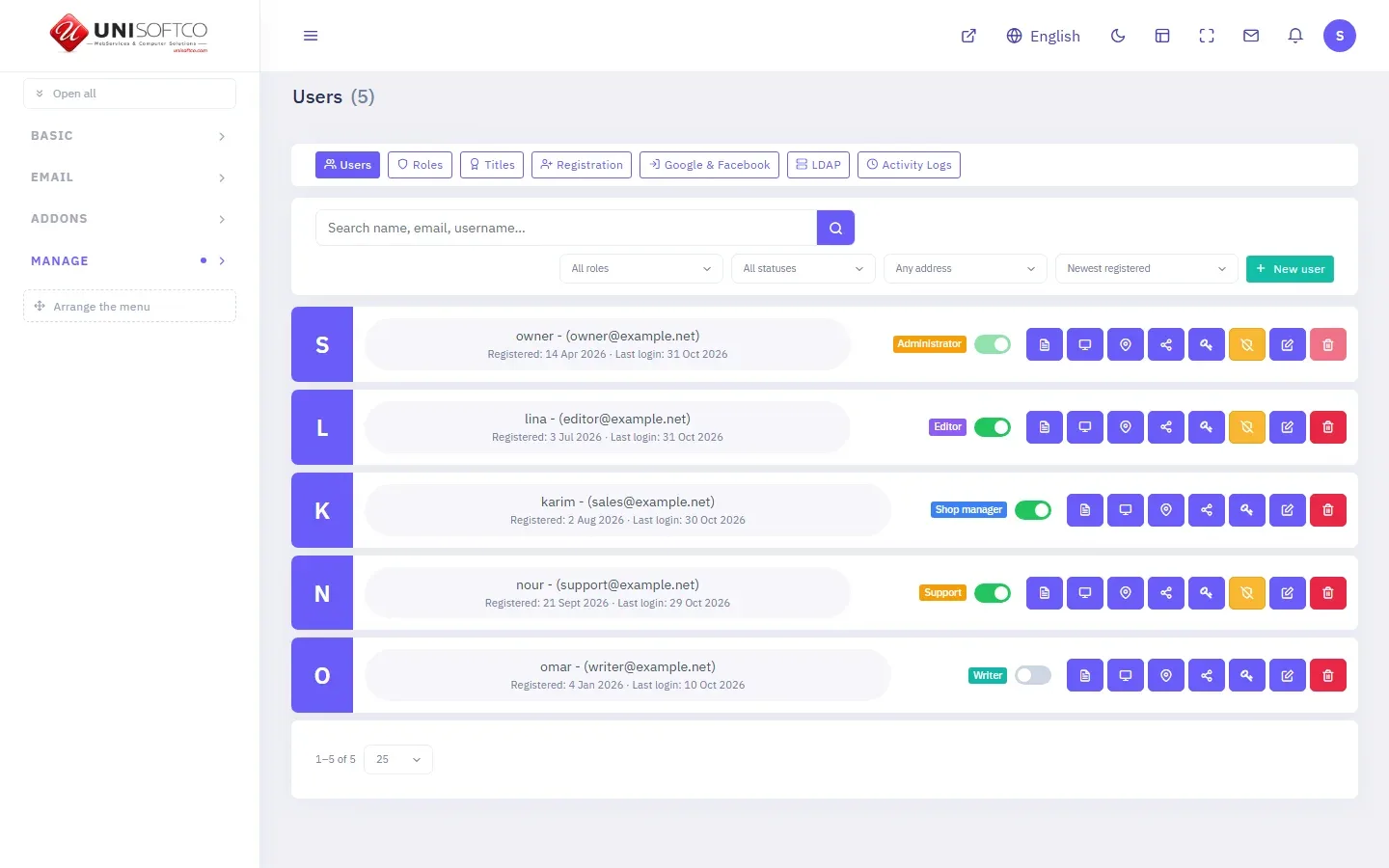
Who is on your team, what each role may do, and who has two-step verification on.
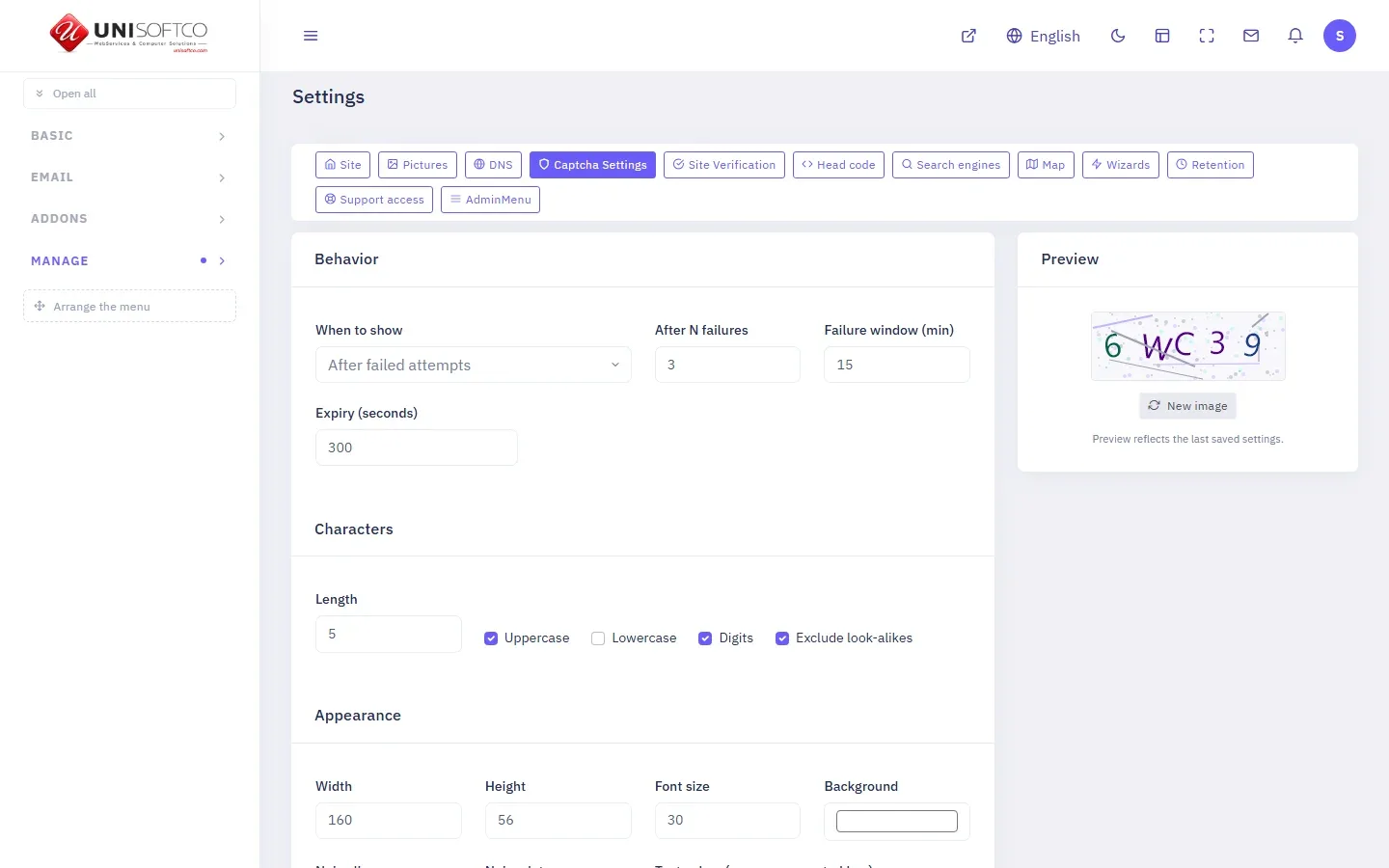
When it appears, after how many failures, and how it looks.
Your own keys, kept encrypted; each button is off until you switch it on.
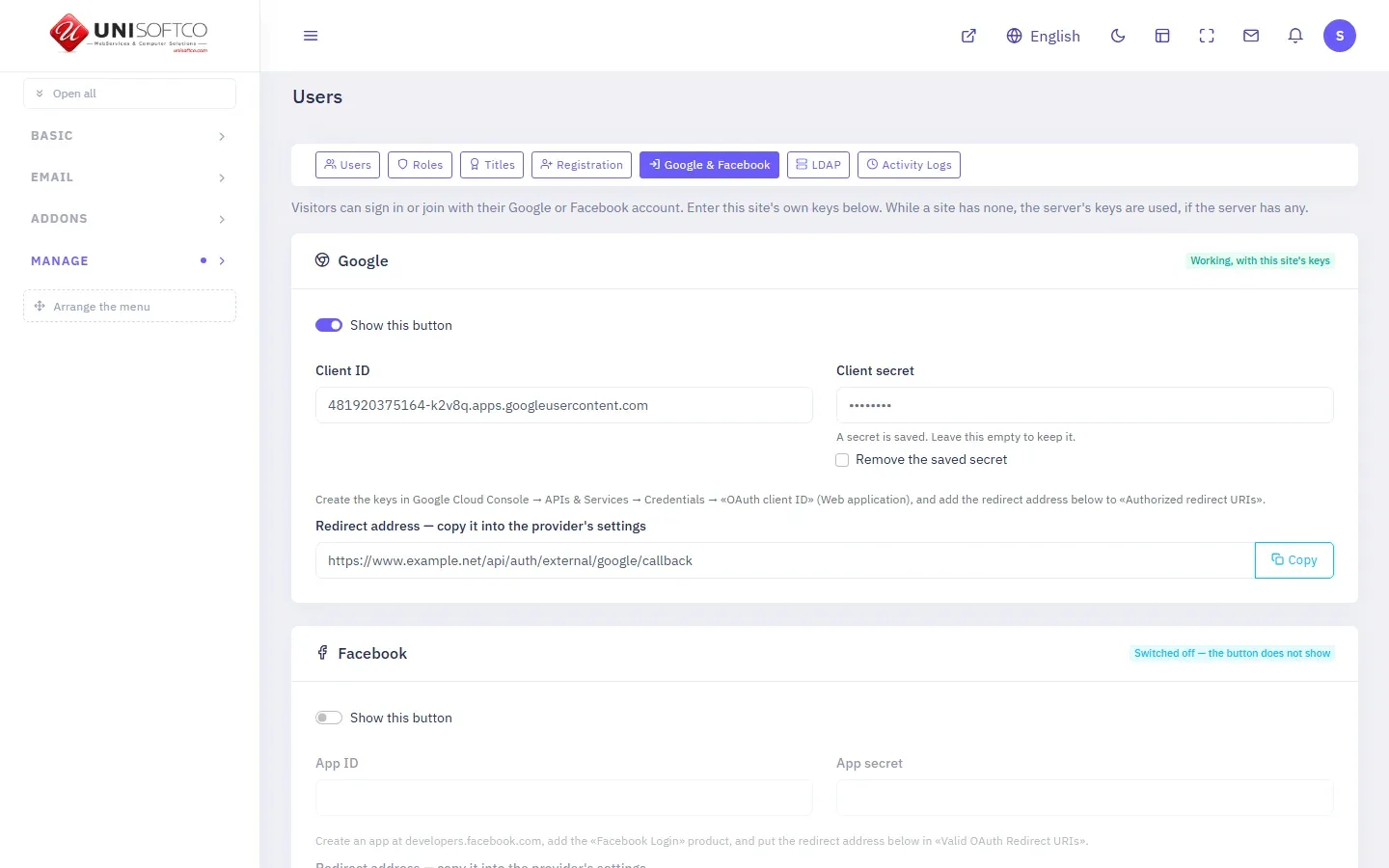
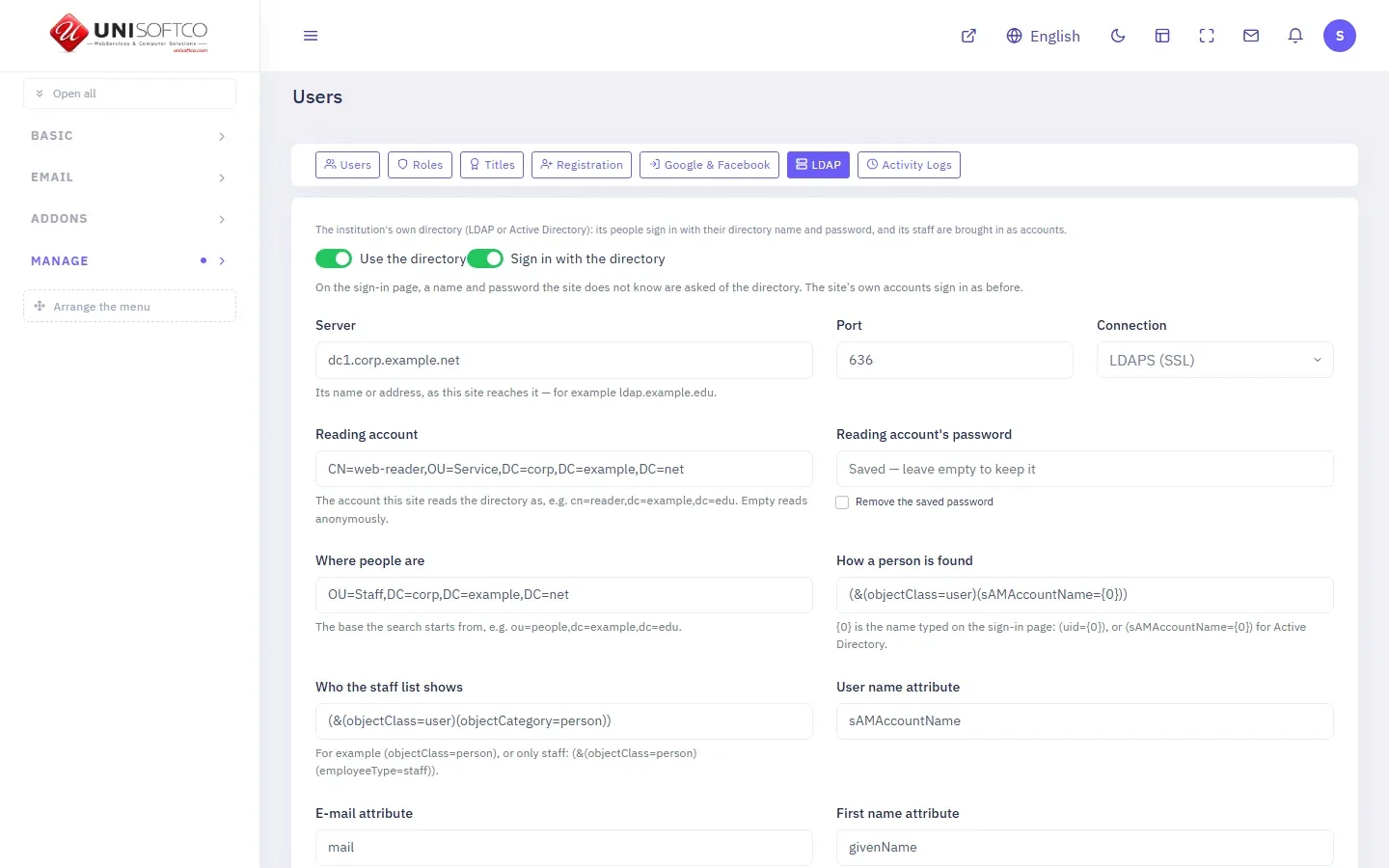
Staff sign in with their LDAP or Active Directory name and password.
The password rules
Passwords refused, and passwords accepted
A weak password is never the easy way into an account.
Refused
- Shorter than 10 characters
- From the lists of leaked passwords«P@ssw0rd» is caught as «password».
- A run of the keyboardqwerty, asdfgh, 123456…
- Made of your own name or email
Accepted
- 10 to 72 characters
- Three of the four kindsCapitals, small letters, digits, symbols.
- A change signs you out everywhere elseAnd cancels every reset link sent before it.
Other ways in
Sign in with an account you already have
Ways in for people and for teams; switch on the ones you want.
Google and Facebook
Each site keeps its own keys, encrypted. Both buttons stay off until you switch them on.
Only an email they confirmed
An address Google or Facebook has not verified does not open an account.
Your organisation's directory
LDAP or Active Directory checks the password, and brings your staff in as accounts.
What works behind the curtain
Details that work quietly, so your site is harder to misuse.
Payment keys sealed
The keys of your payment gateways are kept encrypted in the database.
Signed restore points
A restore file someone has altered is known before it is used.
The panel in no one else's frame
No other site can draw your panel inside its page and trick a click.
Forms that tire scripts
A minute between two messages, a captcha if you want it, and a hidden field on the demo request.
Newsletter confirmed twice
Nobody is subscribed with an email that is not his.
Reset letters held back
One every two minutes per account, so your site cannot be used to flood an inbox.
Plain answers about your site's security
Is two-step verification required?
No. Every user switches it on for himself, from his profile.
What if I lose my phone?
You sign in with one of your eight spare codes. Each works once.
Can I switch the captcha off?
Yes. Never, always, or after three wrong tries: you choose, for each site.
How do I know who signed in to my account?
Your profile lists every session with its device and address; close any of them with one press. The activity log keeps what was done.
Was the platform reviewed?
A full security review was made on 14 October 2026, and everything it found was fixed and is live.
Does it cost extra?
No. It comes with every site.
What it is made of
In the panel
- Two-step verification
- Activity Logs
- Users
Latest updates
- Security and protection gets its own feature page
Build on a platform that guards the door for you
Security comes with every UniSoftCo site, from the first day.