
Shop and accounting
Your shop sells day and night, and your books write themselves
Show your products, take payment the way your customers prefer, and see every sale arrive in your books. Start with one shop, or open a market for many sellers.
Try it yourselfAbout the platform
- Prices in several currencies
- Global and local payment
- One shop or a market
Payment your customers already use
Global and local gateways, a bank transfer, or cash on delivery.
- PayPal
- Stripe
- Mercado Pago
- iyzico
- PayTabs
- Paddle
- Bank transfer
- Cash on delivery
Products
Products as you sell them in real life
Arrange your goods the way your customer knows them.
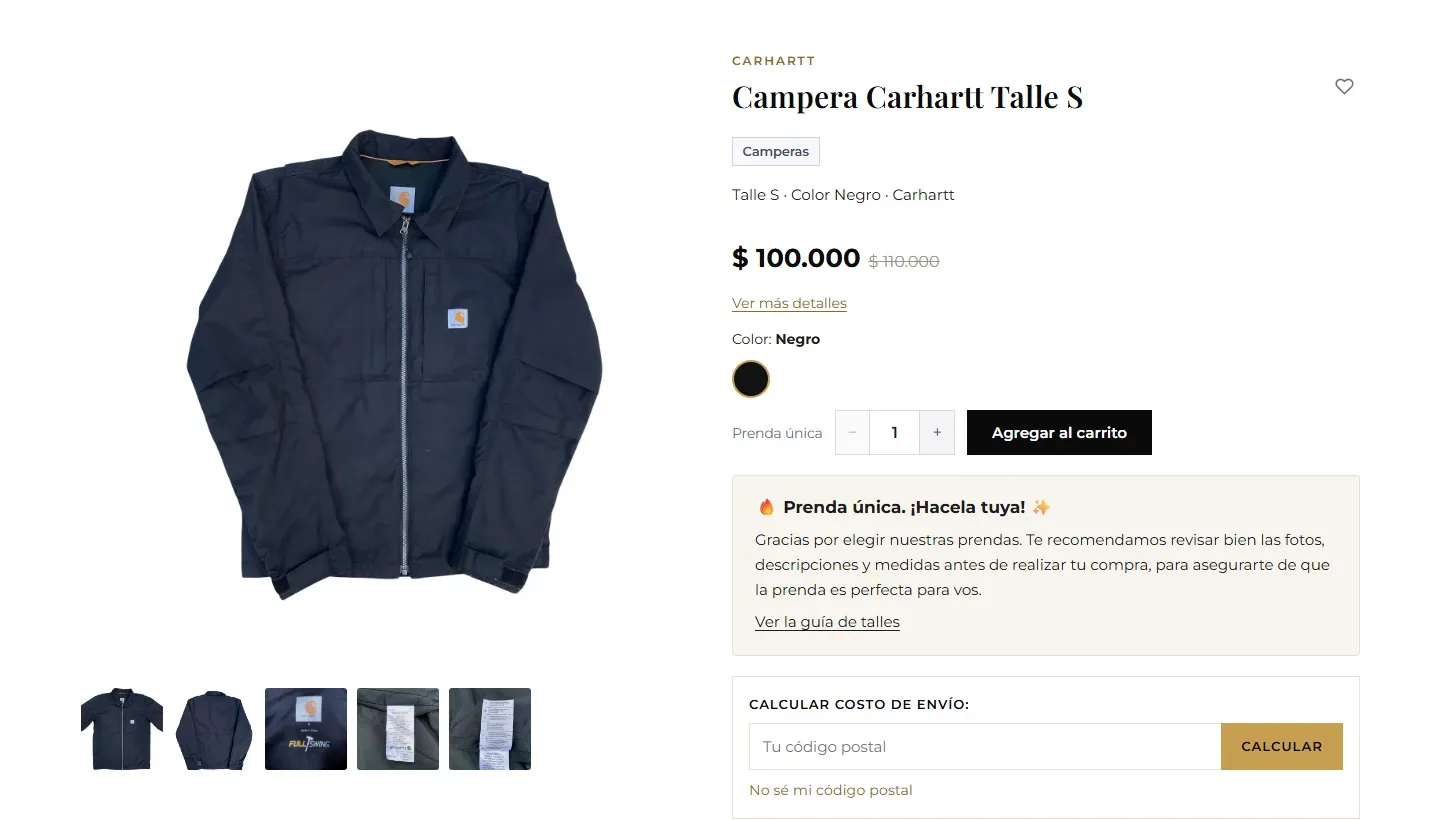
- Categories and sub-categories, each with its picture
- Brands with their logos
- Sizes, colours and other options, with stock for eachThe buyer sees a colour swatch for every option.
- A gallery for every product, and a short descriptionThe description shows on the cards and in search results.
Finding things
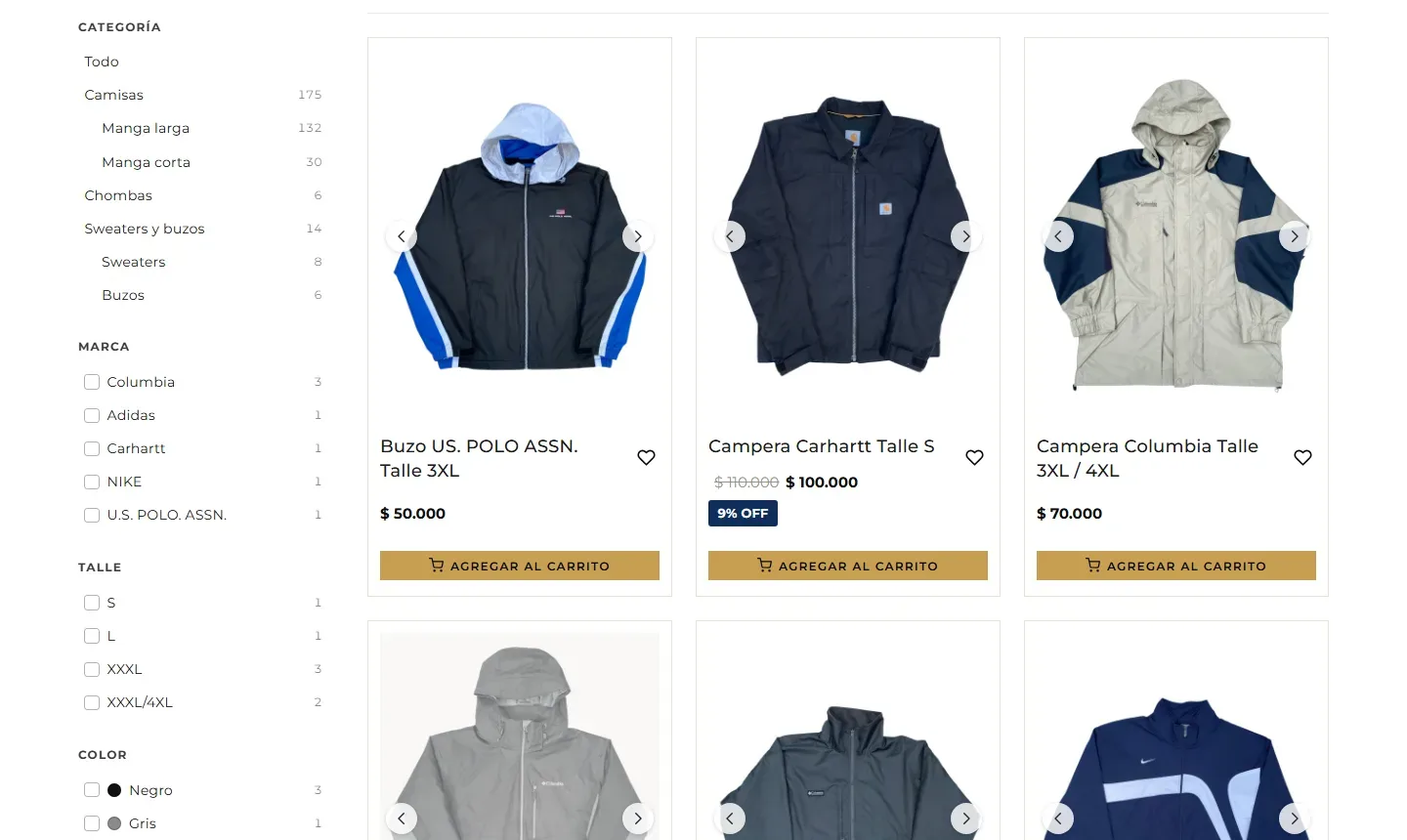
Filters the buyer searches with
- Every property you give a product becomes a filterSize, colour, material — whatever your goods have.
- Category and brand, each with how many it holds
- Newest, by name, cheapest, dearest
- A favourites list the customer keeps
Prices
Smart prices, even when currencies move
Your customer's currency
Prices in several currencies; the buyer picks his at the top of the site.
Written in dollars, shown in pesos
Enter a price in a steady currency; it is shown in the local one at today's rate, plus your margin, neatly rounded.
A whole category at once
Raise or lower a category's prices by a share, now or on a date you choose.
Every month, against inflation
A change that repeats monthly, with a floor no price goes under.
Sales that start and end alone
The old price struck through beside the new, and the original back alone when the sale ends.
Coupons
A share or an amount, with dates and limits, and the code shown on the cards if you wish.
The clothes rail
Offers that catch the eye
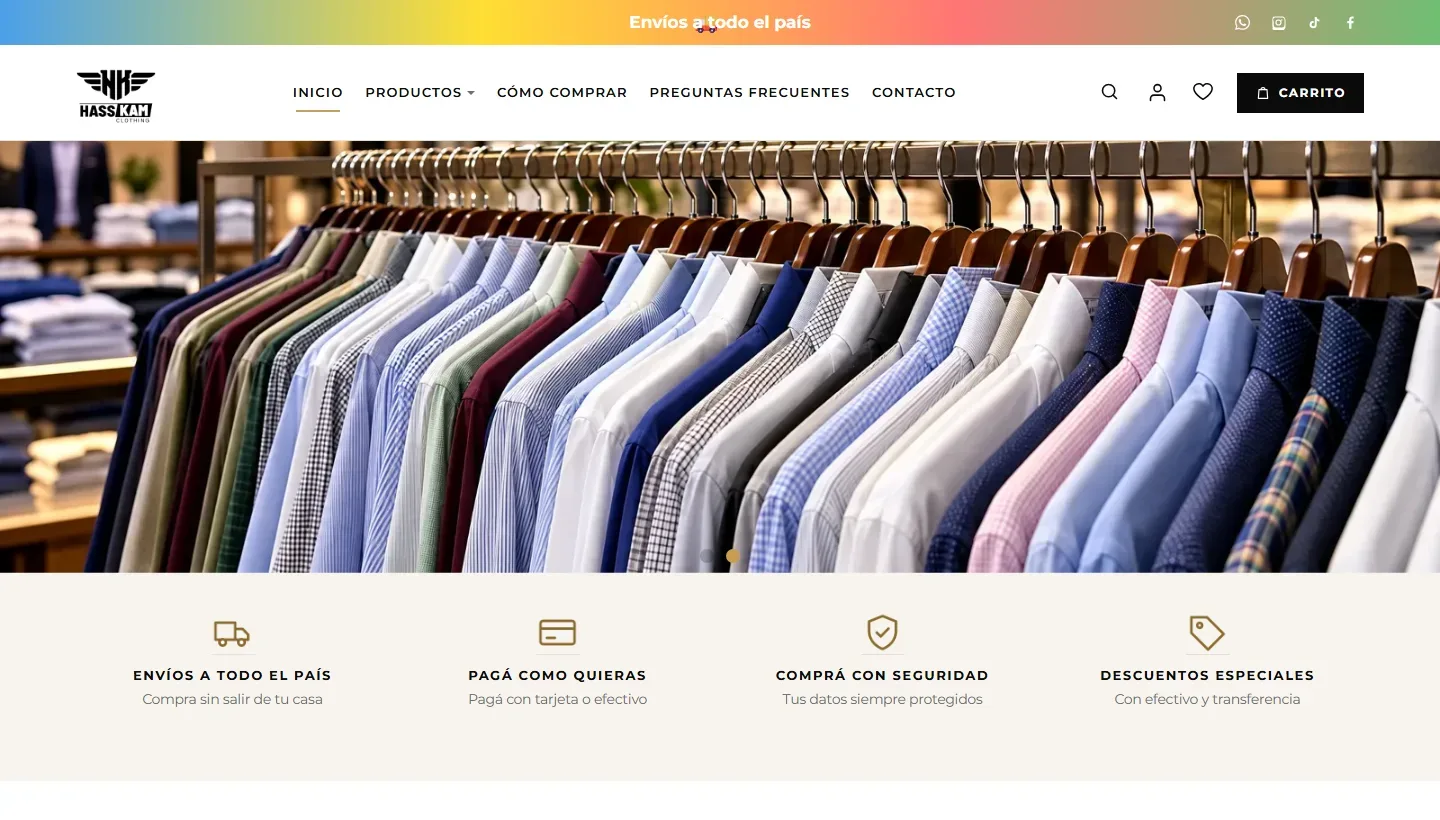
Your garments hang side by side and turn toward the visitor, each with its badge. These four hang today on hasskamclothing.com.
- -9%
 Campera Carhartt$ 100.000
 - -11%
 Campera NIKE$ 60.000
 - -25%
 Traje AMBO VARONIL$ 150.000
 - -33%
 Traje Marks & Spencer$ 120.000
Buying
Easy buying, from the basket to the door
No account needed.
The basket
A clear basket, and favourites to come back to.
An email or a phone
Either one is enough to place the order.
Payment and delivery
He pays his way, chooses delivery, and receives a confirmation.
Delivery and the buyers' trust
Carriers priced by region and postcode
With a message for each way of delivery telling the buyer what to expect.
Reviews with «bought the product»
The badge marks whoever really bought it.
You choose who reviews
Buyers only, or any visitor once you approve.
You answer every review
Many sellers
Turn your shop into a market
Optional: or keep one shop and run it yourself.
«Sell with us»
A seller asks to join from one page; you accept or refuse.
A page for every seller
Buyers see who sells to them; he runs his goods from «My shop».
Your commission
A share you set for each seller, kept with every sale.
Each seller's account
What he earned, what was sent to him, and what is left — in every currency.
Shop and accounting together
From the sale to the book, typed by nobody
Every real payment through the shop is written into the books by itself.
An order in the shop
The customer pays online.
A customer and his invoice
Written in the books with what he bought.
A payment set against it
So nobody appears to owe, or be owed, anything.
In a market, apart
What belongs to the seller is kept apart from what belongs to the market.
Accounting
Accounting kept the way an accountant keeps it
It needs no shop: a site can keep its books on their own.
Double entry
A chart of accounts, journal entries, a ready chart to start from, and a book for each business.
Customers and suppliers
With their branches, and what each customer still owes.
Invoices and payments
Invoices with their lines; payments with their bank reference, set against invoices.
Pay from the invoice
A button on the invoice's page settles it online.
The cash book
Every box and bank, every movement, and charts month by month.
The customer's own statement
He sees it on your site once signed in, and nobody else does.
Reports
Balances, the trial balance, and any account's statement.
Exchange rates filled in
Dollar, euro, pound, Turkish lira and peso.
Your team
Everybody knows his job
Reading the accounts, arranging them and recording in them are three separate permissions.
Reads only
The owner who wants the figures, a partner, an auditor.
Arranges the accounts
Accounts, books, customers and suppliers.
Records what happens
Entries, invoices and payments.
A sales rep sees his own customers
And adds his customers himself.
Every change under a name
The ledger keeps who changed what.
The accounting wizard
A payment, a sale, a purchase or a cash movement in a few steps.
Questions
Can I use accounting without the shop?
Yes. Accounting depends on nothing; with the shop, its sales also arrive in the books by themselves.
Can I start with one shop and open a market later?
Yes. The market is optional: add the «Sell with us» page whenever you are ready.
Does the shop speak my customers' languages?
It is in every language of your site, and in your site's own phone app.
Do I see what sells?
Every product counts its views, and the sales have their statistics.
Demo
Try the shop yourself
See the shop and its books working from the inside: leave your email and we will write to you.
Get your own login
Start selling, and leave the books where they belong
The shop and accounting are two addons of the UniSoftCo platform.