Your site, in every visitor’s language.
Welcome every customer in a language that feels like their own. Create a multilingual website with Arabic and right-to-left support built in from the start.
- Eight languages ready
- Right to left built in
- Every word yours to change
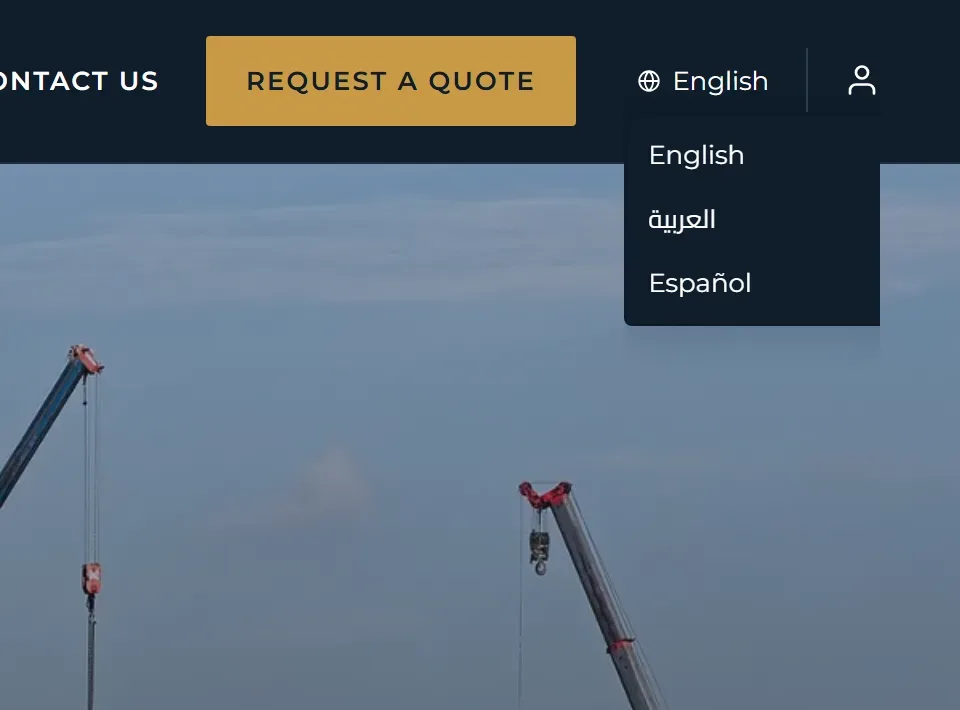
Arabic, done right.
Your Arabic website is not an afterthought. Its layout reads naturally from right to left, while your English site reads from left to right.
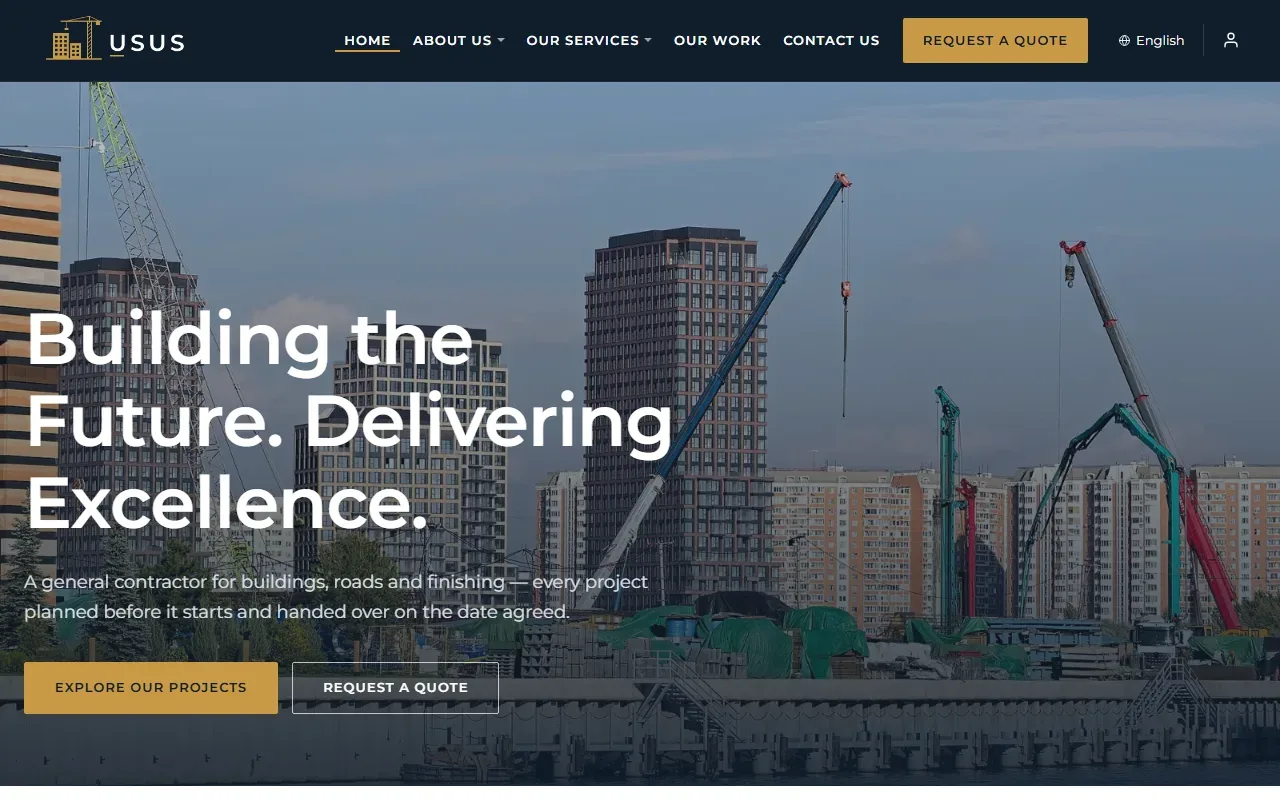
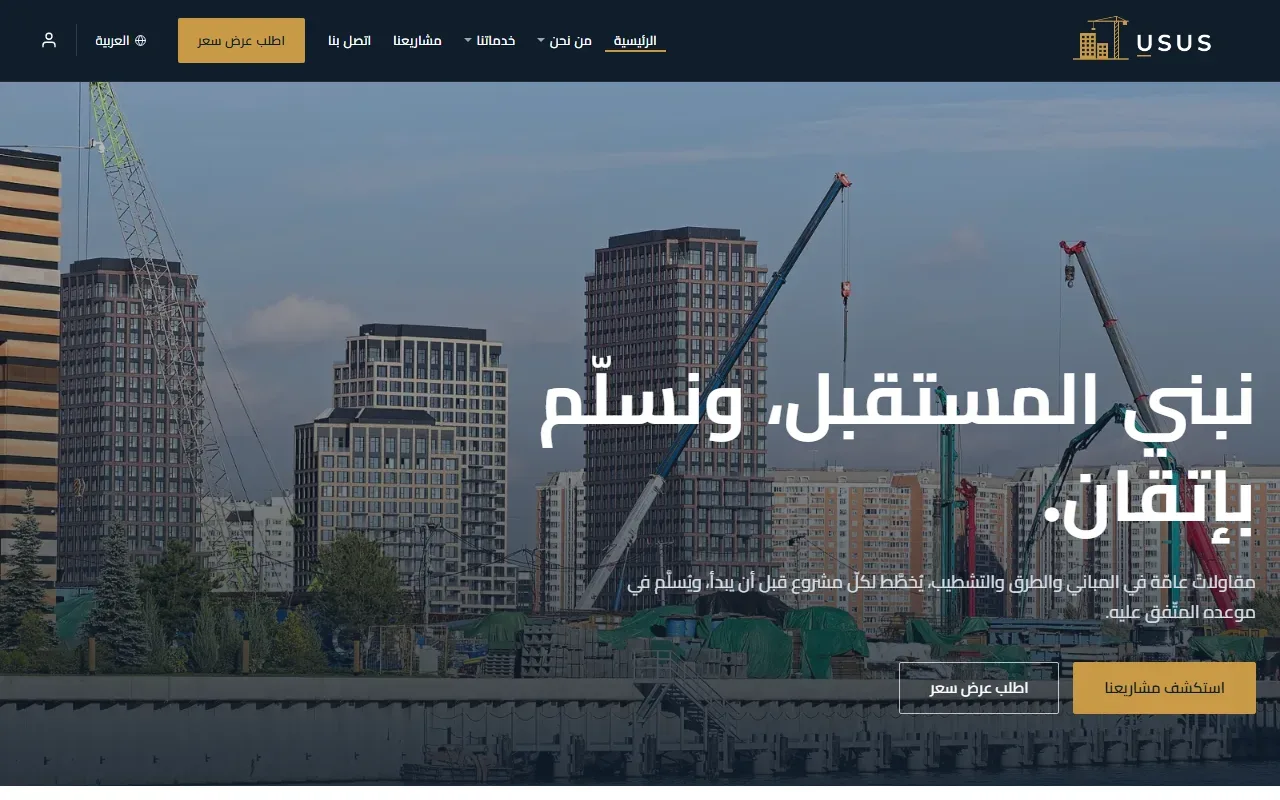
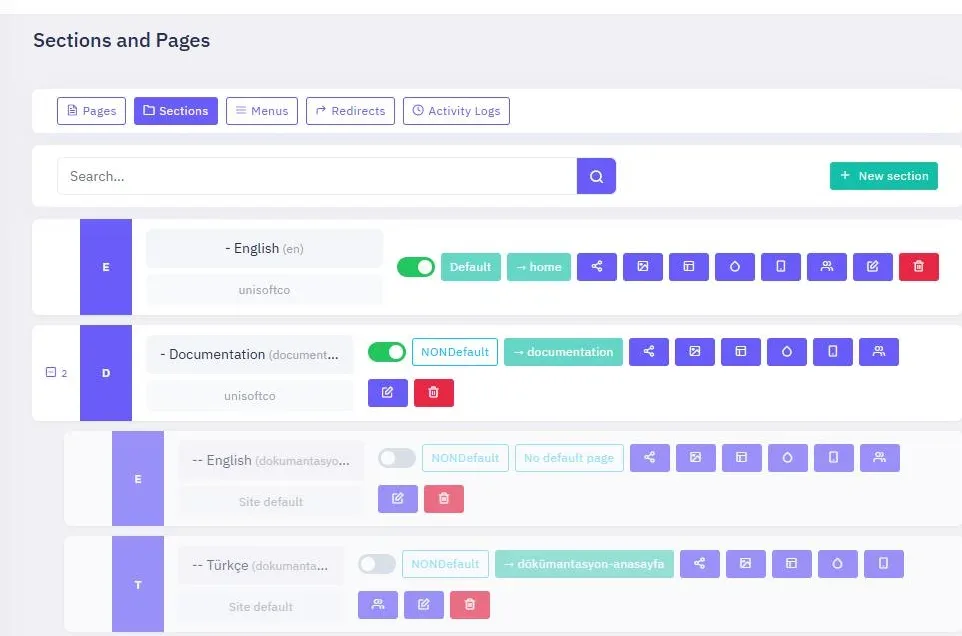
Every language, a whole site.
Give each language its own space and identity. Your Arabic pages can be shaped for Arabic-speaking visitors, not simply mirrored from another version.
- Separate pages and navigation for every language.
- Its own design, header, footer and logo.
- Language-specific contact details.
- A language switcher in your website header lets visitors move between versions with one click.
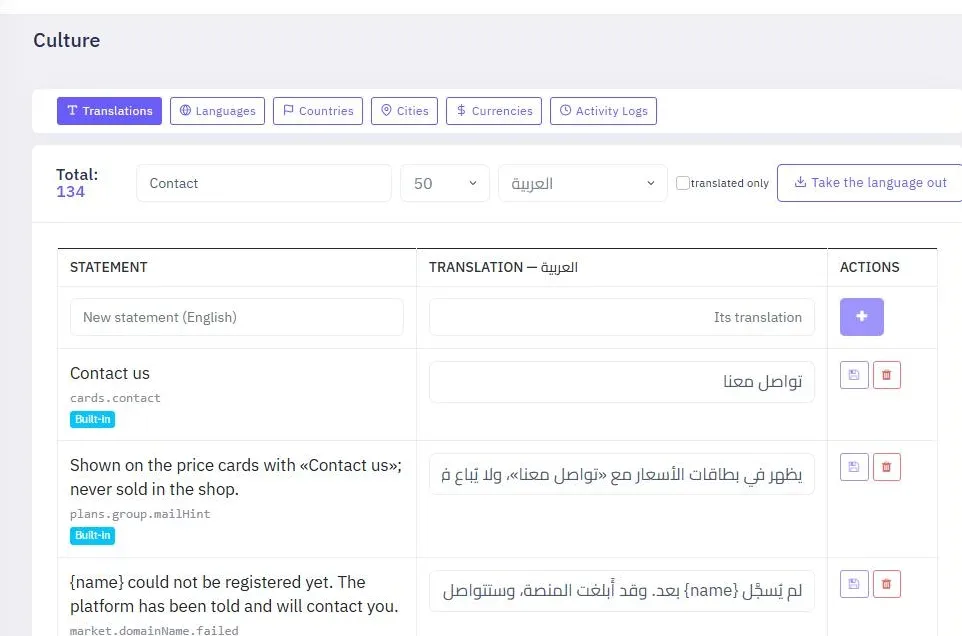
Every word in your hands.
Manage the words that appear across your website from one place. Review translations, add your own phrases and keep every language consistent.
- See each phrase alongside its translation in every language.
- Search your phrases or show only the ones that still need translating.
- Add your own phrases and their translations.
- Export translations to a file, share it with a translator, then import the completed file.
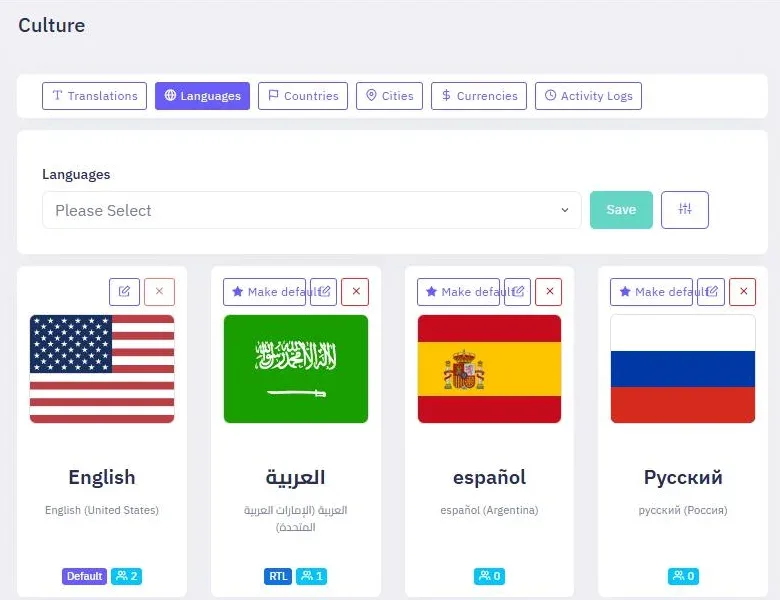
Add a language in a minute.
Choose the languages your visitors use. Set the default for your website, then make each language available whenever you are ready.
- Choose from a ready-made language list or add a language manually.
- Set your website’s default language.
- Turn a language off without deleting it, then bring it back whenever you want.
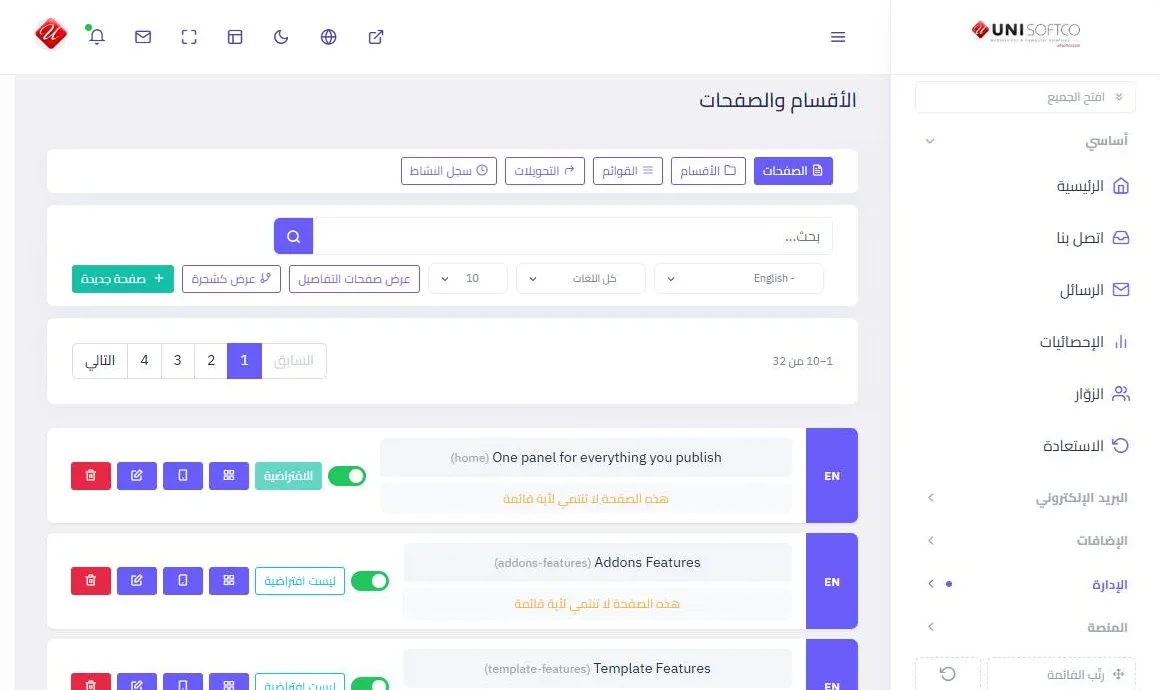
And the panel speaks your language too.
Managing your website should feel just as natural. Use the UniSoftCo control panel in Arabic from right to left, or in English from left to right.
Make every visitor feel welcome.
Build a website that speaks to your customers in the language they know best, with every direction and detail in its right place.
See how pages are built and designedDemo
Try it yourself
Open a real site built on the platform alone, in eight languages with Arabic right to left, and look round its panel: leave your email and we will send you a sign-in.